Get it on F-Droid (our repo)
Stellar TimeLock runs its own F-Droid repository. Add it once in the F-Droid app and you can install the wallet and get its updates there. The app is source available under the GPL-3.0-or-later license: github.com/stellartimelock/stellartimelock-wallet.
Add the repository
On your Android phone, open this link or scan the QR code with the F-Droid app:
https://stellartimelock.com/fdroid/repo
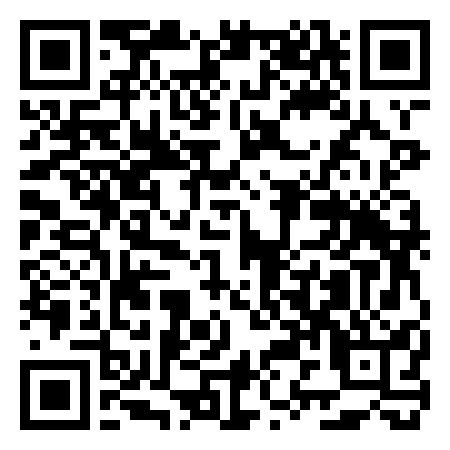
Or add it by hand: in F-Droid open Settings → Repositories, tap +, and paste the repo URL above. Then search for Stellar TimeLock.
Repository key fingerprint
F-Droid checks this SHA-256 fingerprint when you add the repo. It is also the signing certificate of the app itself:
B9:3F:0F:85:E1:AA:14:7B:64:6A:36:F4:15:F8:7E:F4:9B:F1:4E:9F:A9:FA:BE:E0:F1:BA:4C:48:B7:B8:B1:DEGood to know
- This is the
fdroidbuild: no Firebase, Google Play services, ML Kit or Play install referrer. QR scanning uses ZXing. - Swaps go to SimpleSwap through our swap proxy, so F-Droid shows the Non-free network services anti-feature.
- The Google Play version is signed by Google and can't update to or from this version. To switch, back up your wallet secret key, uninstall the Play version, then install from F-Droid and restore.